

A successful office relocation runs on one principle: appoint a single accountable relocation lead on day one, build a cross-functional governance structure around that person, and treat the move as a formal project with a timeline, a budget, and a risk register. Without that foundation, even a small office move can spiral into IT outages, missed lease deadlines, and staff downtime that costs far more than the move itself.
The five components that determine whether a relocation succeeds or fails are:
- Governance: A named relocation lead with decision authority, an executive sponsor, and a core team that meets weekly
- Inventory and asset register: A serial-numbered list of every piece of equipment, furniture, and IT hardware before a single vendor is contacted
- IT cutover plan: A phased, rehearsed plan for disconnecting, transporting, and reconnecting systems with a documented rollback option
- Vendor statements of work (SOWs): Binding, itemized contracts with every mover, IT contractor, and facilities vendor
- Move-day command structure: Assigned floor captains, staging zones mapped to floor plans, and a single escalation path
Your first 48–72 hours:
- Appoint a relocation lead with dedicated time and budget authority
- Start a physical and digital inventory of all assets, IT hardware, and furniture
- Schedule an initial stakeholder kickoff with IT, HR, facilities, and finance within the week
Pro Tip: Don't wait for a signed lease to start the inventory. Asset registers take longer than most teams expect, and starting early gives you the data you need to get accurate vendor quotes.
Table of Contents
- Why does an office move need formal project management?
- Who should manage your office move?
- How do you build a governance structure for a relocation?
- What does a realistic office move timeline look like?
- What should you complete during the planning phase?
- How do you manage the execution phase without losing control?
- What makes move day go smoothly?
- How do you manage risk during an office relocation?
- What should you do in the 30 days after move day?
- When should you hire a managed moving partner?
- Key Takeaways
- The thing most office move plans get wrong
- Atlantic Star Relocations handles the complexity so your team doesn't have to
- Useful sources and templates
- FAQ
Why does an office move need formal project management?
An office relocation is cross-functional change management with real business-risk exposure, not a logistics task you can delegate to an office manager between other responsibilities.
The complexity drivers stack up fast:
- Stakeholder count: IT, HR, finance, legal, facilities, department heads, building management, and multiple vendors all have dependencies on each other
- IT risk: Server migrations, network cutovers, and endpoint reconnections are the single most common source of post-move downtime
- Lease and compliance obligations: Most commercial leases require the outgoing tenant to restore the space, remove cabling, and complete professional cleaning. Missing these triggers financial penalties.
- Vendor dependencies: Elevator reservations, furniture installation crews, and IT contractors all need coordinated scheduling. One vendor running late cascades into the rest.
- Downtime cost: Every hour staff cannot access systems or workstations has a direct revenue and productivity cost
When moves lack formal project management, the consequences are concrete. An IT cutover without a rehearsed rollback plan can leave a company without phone or data systems for days. A lease restoration clause buried in the original agreement can surface as a five-figure penalty at move-out. A vendor no-show on move day, with no contingency plan, means staff arrive to an unfinished office.
Most teams under-invest in two areas: post-move stabilization and decommissioning obligations. Both are predictable, both are budgetable, and both are almost always treated as afterthoughts.

Pro Tip: Pull your current lease and read the restoration clause before you do anything else. Knowing what the space must look like at handover shapes your budget and your timeline from the start.
Treating the relocation as a business transformation, rather than a logistics exercise, also opens real opportunities. The move is a natural moment to refresh aging technology, redesign layouts for hybrid work, and renegotiate vendor contracts. Teams that treat it as pure asset transport miss those gains entirely.
Who should manage your office move?
Appoint an internal relocation lead for every move, regardless of size. For moves involving many staff, sensitive IT infrastructure, multi-site coordination, or complex lease restoration obligations, evaluate a managed mover or external consultant to supplement or lead the program.
Core roles and responsibilities
| Role | Primary Responsibility |
|---|---|
| Executive sponsor | Budget authority, final escalation point, leadership communications |
| Relocation lead / PM | Day-to-day program management, timeline ownership, vendor coordination |
| IT lead | Infrastructure migration, data security, cutover planning and testing |
| Facilities / building liaison | Floor plans, elevator reservations, building access, permits |
| HR | Staff communications, change management, remote work arrangements |
| Finance | Budget tracking, vendor invoice approval, insurance coordination |
| Vendor leads | Mover, IT contractor, furniture installer, cleaning crew |
| Move-day floor captains | On-site supervision by zone on move day |
RACI overview for key activities
| Activity | Responsible | Accountable | Consulted | Informed |
|---|---|---|---|---|
| Timeline and milestone plan | Relocation lead | Executive sponsor | IT, HR, facilities | All staff |
| Vendor selection and SOWs | Relocation lead | Executive sponsor | Finance, legal | Department heads |
| IT cutover plan | IT lead | Relocation lead | Vendors | Executive sponsor |
| Staff communications | HR | Relocation lead | Executive sponsor | All staff |
| Budget tracking | Finance | Executive sponsor | Relocation lead | IT, facilities |
| Move-day execution | Floor captains | Relocation lead | All vendors | Executive sponsor |
Internal PM vs. external consultant vs. managed mover
- Internal PM: Full control, lowest direct cost, but requires dedicated time that most facilities or operations managers don't have. Works well for moves under 30 staff with straightforward IT.
- External consultant: Brings process expertise and vendor relationships without taking over execution. Good for mid-size moves where the internal team needs a framework but not full outsourcing.
- Managed mover: Single-point accountability from planning through post-move stabilization. The right call when IT sensitivity is high, the move is multi-site, or vendor coordination complexity exceeds what an internal team can absorb. Corporate relocation services from a managed provider typically include project management, vendor coordination, packing, storage, and issue resolution under one contract.
Scope questions that drive the decision: How many staff are moving? Does the move involve server rooms or specialized IT? Are there multiple locations or phased timelines? Does the lease require certified restoration work? The more "yes" answers, the stronger the case for a managed mover.
Pro Tip: Even when you hire a managed mover, keep an internal relocation lead. Someone on your side needs to own decisions about space design, staff communications, and budget approvals. The managed mover runs the logistics; your lead runs the business.
How do you build a governance structure for a relocation?
Governance for an office move centers on a weekly core team meeting, monthly executive sponsor check-ins, and daily huddles during move week. Without a defined cadence, decisions pile up, vendors wait for approvals, and the timeline slips.
Meeting cadence
| Meeting | Frequency | Attendees | Purpose |
|---|---|---|---|
| Kickoff | Once (week 1) | All stakeholders | Align on scope, timeline, roles, and budget |
| Core team | Weekly | Relocation lead, IT, HR, facilities, finance | Track milestones, resolve blockers, update risk register |
| Vendor coordination | Bi-weekly | Relocation lead, all vendors | Confirm schedules, SOW progress, open items |
| Executive review | Monthly | Executive sponsor, relocation lead | Budget status, scope changes, escalations |
| Pre-move rehearsal | 2 weeks before move | Core team, floor captains, IT | Walk through move-day sequence, confirm floor plans |
| Move-day huddle | Daily during move | Floor captains, relocation lead, vendors | Status, issues, priority adjustments |
Decision authority
- Budget approvals and scope changes: Executive sponsor signs off on anything above a pre-agreed threshold (typically $5,000 or more)
- Vendor invoice approval: Finance approves against SOW; relocation lead confirms work completion
- IT cutover go/no-go: IT lead makes the call, with relocation lead and executive sponsor on the call
- Escalations: Any issue that cannot be resolved within 24 hours escalates to the executive sponsor
What each stakeholder expects
- Executive sponsor: Monthly budget-vs-actual summary, risk flags, and a go/no-go recommendation two weeks before move day
- Department heads: Two weeks' notice of packing start dates, floor plan showing their team's new location, and a single contact for questions
- All staff: Regular email updates at key milestones, a FAQ document, and clear instructions for packing personal items
- Building management (old and new): Certificate of insurance, elevator reservation confirmations, and move-day schedule at least two weeks in advance
What does a realistic office move timeline look like?
Pick your timeline by complexity. Small, local office moves with simple IT require a few months; a half-year is the standard timeline for many moves. Larger headquarters relocations, major fit-outs, or moves involving significant IT infrastructure typically need several months of planning to account for lease negotiations and multi-stream IT work.
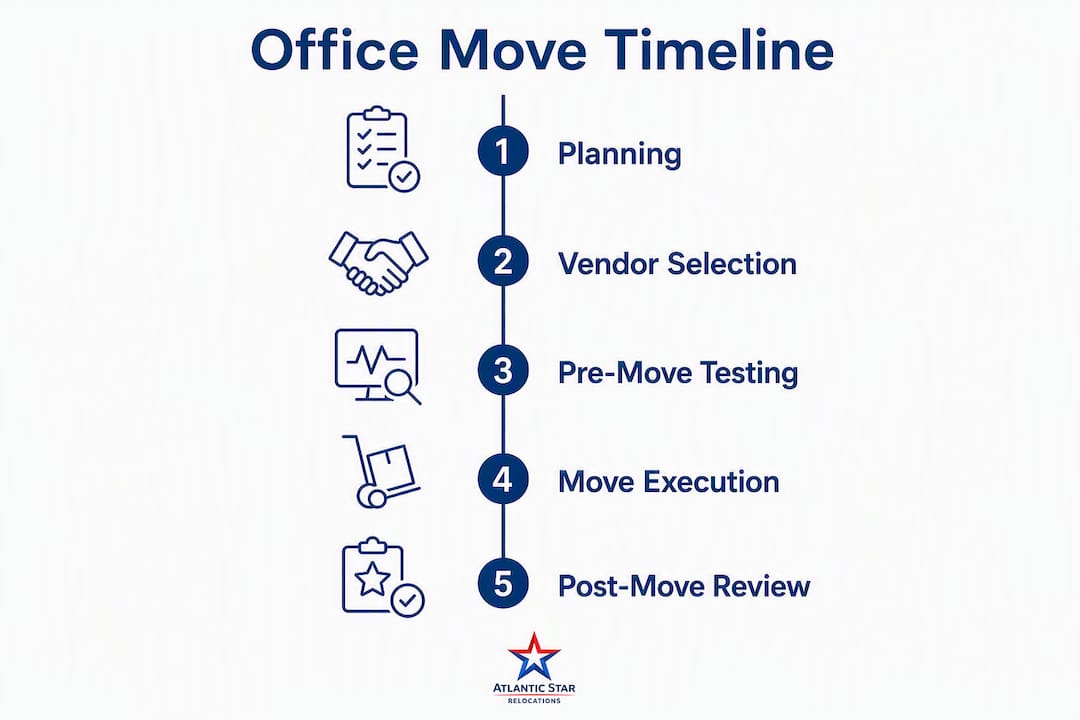
Sample 6-month timeline
| Month | Phase | Key milestones and deliverables |
|---|---|---|
| Month 1 | Initiation | Appoint relocation lead; complete asset inventory; confirm new lease; kickoff meeting |
| Month 2 | Planning | Floor plan sign-off; vendor RFP issued; IT cutover plan drafted; budget approved |
| Month 3 | Procurement | Three binding mover quotes received; IT contractor selected; SOWs signed; permits applied for |
| Month 4 | Pre-move prep | Packing materials distributed; labeling scheme finalized; staff communications sent; IT pre-staging begins |
| Month 5 | Execution | Move weekend(s); IT cutover; furniture installation; systems testing and acceptance |
| Month 6 | Stabilization | 30-day help desk active; punch list resolved; decommissioning of old space; lessons learned |
Milestone checklist by phase
- Stabilization: — Help desk closed, decommissioning complete, lessons-learned meeting held
Adjusting the schedule
To compress safely, parallelize procurement and planning rather than shortening execution. Run vendor RFPs while the floor plan is still in review. Schedule IT pre-staging during packing week. Use after-hours or weekend cutovers to protect business hours. What you cannot compress: the IT cutover rehearsal, the vendor SOW review, and the building access coordination. Cutting those creates the exact failures that make moves expensive to recover from. For multi-site or phased moves, the guidance on staggering office moves across locations covers sequencing in detail.
What should you complete during the planning phase?
Planning defines success. Get objectives, scope, budget, and inventory right before you contact a single vendor or schedule a move date.
Planning checklist
- Objectives: Document why you are moving (lease expiry, growth, cost reduction, hybrid work redesign) and what success looks like on day one in the new space
- Scope: Define what moves, what stays, what gets disposed of, and what the new space must deliver
- Inventory and asset register: Every item tagged with a serial number, current location, destination zone, and condition. Include IT hardware, furniture, AV equipment, and specialty items.
- Furniture decisions: Decide what reuses, what goes to storage, and what gets disposed of before vendors quote. Vendors price on volume.
- Floor-plan mapping: Approved floor plan with zone codes assigned before packing begins. Every label on every box ties to a zone code.
Vendor selection criteria
Require three binding, itemized quotes from licensed, insured business relocation providers. Verify USDOT/FMCSA registration for any interstate move. Compare quotes on packing services, IT disconnect/reconnect capability, after-hours labor rates, elevator and stair fees, and insurance coverage. Use virtual walkthroughs and photo documentation to speed estimating and close scope gaps before quotes are finalized.
Budget line items (including often-missed costs)
| Category | Notes |
|---|---|
| Mover fees | Base rate, after-hours labor, elevator fees, stair carries |
| IT contractor | Disconnect, transport, reconnect, testing, AV setup |
| Packing materials and services | Boxes, anti-static materials, custom crating for servers |
| Furniture installation | New furniture, reconfiguration of existing pieces |
| Temporary storage | Holdover items, phased moves, staging overflow |
| Decommissioning / restoration | Wall repairs, cable removal, professional cleaning per lease |
| Permits and certificates | Building permits, elevator permits, insurance certificates |
| Contingency | A contingency percentage of the total budget should be allocated for scope changes and surprises. |
Pro Tip: Budget for decommissioning from day one. Lease restoration clauses routinely require wall repairs, cable removal, and professional cleaning. These costs are predictable. Missing them is not a surprise; it's a planning gap.
The office relocation planning checklist covers inventory sheet fields, floor-plan deliverables, and vendor SOW requirements in detail.
How do you manage the execution phase without losing control?
Drive execution with a clear sequence, a named owner for each workstream, and a rehearsed IT cutover plan. Improvising during execution is where moves get expensive.
Packing and labeling
- Use color-coded labels tied to floor-plan zone codes (Zone A = blue, Zone B = red, and so on)
- Every box gets a label showing: destination zone, room number, contents category, and handling instructions
- Build itemized manifests keyed to box labels so you can verify delivery against the inventory register
- Pre-stage packed boxes in designated holding areas before the mover arrives. Movers load faster from staged areas than from active offices.
Vendor coordination sequence
- Confirm elevator reservations with building management at least two weeks out
- Confirm mover arrival time, crew size, and equipment list 48 hours before move day
- Assign a staff member to receive and sign delivery receipts at the new location
- Sequence furniture installation after the mover completes delivery to each zone
- IT contractor begins reconnection only after furniture is placed and zones are cleared
IT migration checklist
The IT migration for office moves is the highest-risk workstream. Use certified IT specialists, anti-static packing materials, and custom crating for servers. Maintain a documented chain-of-custody for all hardware from disconnect through reconnection. During the cutover, bring non-critical systems online first, verify network and AV in staged areas, and keep a rollback plan with backup connectivity and spare hardware on-site.
- Full verified backup of all systems before disconnect
- Chain-of-custody log for every server, switch, and critical endpoint
- Anti-static bags and custom crating for servers and sensitive hardware
- Reconnection sequencing: core network first, then servers, then endpoints, then AV
- Acceptance criteria: every system verified by IT lead before staff reoccupy
Pre-move test plan
Two weeks before move day, walk the new space with floor captains and IT. Confirm that power, data ports, and AV are functional in each zone. Run a tabletop rehearsal of the move-day sequence. Define acceptance criteria: what must be working before staff are cleared to reoccupy.

Pro Tip: Schedule IT cutover for a Thursday night into Friday. If something fails, you have Friday to troubleshoot before the weekend. A Sunday-night cutover with a Monday-morning deadline leaves no recovery time.
What makes move day go smoothly?
Move day succeeds when roles, flows, and staging areas are pre-agreed, documented on floor plans with signage, and every person on-site knows their job before the first truck arrives.
Move-day checklist
- Confirm arrival times for movers, IT contractor, and furniture crew the day before
- Post floor plans and zone signage at every entrance and elevator bank
- Verify elevator reservations and building access with both old and new building management
- Brief floor captains on their zones, escalation path, and inventory verification responsibilities
- Set up a move-day command post (a table with floor plans, manifests, contact list, and a radio or group chat)
- Check inventory against manifests as items arrive at the new location
- Document any damage immediately with photos before signing delivery receipts
Floor plan and labeling conventions
| Element | Convention |
|---|---|
| Zone codes | Letter + number (A1, B2) matching floor plan grid |
| Box labels | Zone code / room number / contents / handling (e.g., A1/IT/FRAGILE) |
| Fragile items | Red border on label, "FRAGILE" in large text, orientation arrow |
| Priority items | Gold label for items needed on day one (phones, computers, access cards) |
| Disposal items | Gray label, staged in separate area for removal |
Safety and building access
Keep certificates of insurance on-site and available for building management at both locations. Confirm that the mover's crew has valid ID and that the building's security team has a crew list in advance. Post emergency contacts (building super, elevator maintenance, IT lead, relocation lead) at the command post. If the move involves a high-rise in Manhattan, Brooklyn, or the Bronx, elevator slot conflicts are the most common cause of delays. Confirm slots in writing and have a backup slot reserved.
How do you manage risk during an office relocation?
Maintain a short risk register focused on critical-path items and high-impact risks. You don't need a 50-row spreadsheet. You need five to ten risks tracked actively, with a named owner and a contingency for each.
Risk register template fields
- Risk description
- Probability (High / Medium / Low)
- Impact (High / Medium / Low)
- Mitigation action (what you do before the risk occurs)
- Contingency action (what you do if it occurs anyway)
- Owner (named individual)
- Status (Open / Mitigated / Closed)
Top risks and mitigations
- IT cutover failure: Mitigation: rehearse the cutover two weeks before move day, maintain a rollback plan with backup connectivity. Contingency: keep spare hardware and a hotspot on-site; have IT contractor on standby for 48 hours post-move.
- Vendor no-show or delay: Mitigation: confirm crew size and arrival time 48 hours out; have a backup mover contact. Contingency: call backup vendor immediately; adjust sequence to prioritize critical zones.
- Elevator slot conflict: Mitigation: book slots in writing at both buildings at least two weeks out. Contingency: have a secondary slot reserved; coordinate with building management on the day.
- Lease restoration surprise: Mitigation: read the lease restoration clause at project start; get a contractor quote for restoration work before move day. Contingency: budget 10–15% contingency and engage a contractor immediately if scope expands.
- Permit delays: Mitigation: apply for building permits and elevator permits at least four weeks before move day. Contingency: have legal or facilities contact at the building to expedite.
Insurance and coverage checklist
- Confirm the mover carries full-value replacement coverage, not declared-value only
- Verify third-party liability coverage for building damage at both locations
- Document the condition of all high-value items with photos before packing
- Keep copies of all insurance certificates on-site during the move
- Understand the claim window: most movers require damage claims within 30–60 days of delivery
For multi-site moves with more complex logistics, the challenges of nationwide corporate relocations covers additional risk factors and mitigation strategies.
What should you do in the 30 days after move day?
Formalize a 30-day stabilization period with a single help desk contact to triage and prioritize defects and IT tickets. Without this structure, issues multiply, staff escalate to whoever they can find, and small problems become expensive ones.
Post-move help-desk setup
- Designate one email address and one phone number as the single point of contact for all post-move issues
- Categorize incoming tickets: IT (priority 1), facilities/safety (priority 1), furniture/ergonomics (priority 2), cosmetic (priority 3)
- Set SLA expectations: Priority 1 resolved within 24 hours; Priority 2 within 72 hours; Priority 3 within 10 business days
- Escalation path: unresolved Priority 1 issues go to the relocation lead within 4 hours; relocation lead escalates to executive sponsor if not resolved within 24 hours
Snag and punch-list process
- Open the punch list on day one. Walk every zone with floor captains and document defects with photos.
- Send the punch list to relevant vendors within 48 hours of move day, with a remediation deadline
- Most vendor contracts include a claim window. Know it and enforce it.
- Track punch-list items in a shared log with status, owner, and target close date
Pro Tip: Assign one person to own the punch list through closure. When everyone is responsible, nothing gets done. One owner with a weekly status update to the relocation lead closes items faster than any other approach.
Lessons-learned process
Within 30 days of move day, hold a one-hour lessons-learned meeting with the core team. Ask three questions: What worked well? What would we do differently? What do we need to document for the next move? Capture the answers in a short document and file it with the project records. If you used a managed mover, request their post-move report as well.
When should you hire a managed moving partner?
Hire a managed mover when risk, IT sensitivity, multi-site coordination, or vendor complexity exceeds what your internal team can absorb, or when you want single-point accountability from planning through post-move stabilization.
The clearest signals: more than 50 staff moving, server rooms or specialized IT infrastructure, multiple locations moving in sequence, lease restoration obligations requiring certified contractors, or a timeline under four months.
What managed movers typically deliver
- Project management from planning through post-move stabilization
- Vendor coordination and carrier-neutral selection (movers, IT contractors, furniture installers)
- Professional packing services including anti-static and custom crating for IT hardware
- Short-term and climate-controlled storage for staging, holdovers, and sensitive equipment
- Decommissioning coordination for old premises
- Single escalation path for all vendor issues
Questions to ask when evaluating providers
- Are you licensed and insured, with USDOT/FMCSA registration for interstate moves?
- Do you provide binding, itemized estimates?
- Do you have certified IT specialists on staff or under contract?
- Is your coordination carrier-neutral, or do you use a single carrier?
- Can you provide references from commercial moves of similar size and complexity?
- Do you cover Westchester County, the five NYC boroughs, New Jersey, Connecticut, and Florida?
Pro Tip: Ask for a sample project schedule and a sample SOW from any managed mover you evaluate. A provider who cannot produce both quickly is not running a structured program.
The role of third-party logistics in business relocation explains how logistics providers integrate with internal project managers in more detail.
Key Takeaways
Successful office-move project management requires a named relocation lead, a formal timeline starting at least six months out, a rehearsed IT cutover plan, three binding vendor quotes, and a structured 30-day stabilization period after move day.
| Point | Details |
|---|---|
| Appoint a relocation lead first | Name one person with decision authority and dedicated time before any other planning begins. |
| Match timeline to complexity | Use 4–6 months for small office moves, and 6–12 months for large headquarters or complex IT relocations. |
| Require binding, itemized quotes | Get three quotes from licensed, insured vendors; compare on packing, IT, after-hours labor, and elevator fees. |
| Plan the IT cutover separately | Rehearse the cutover two weeks before move day and keep a rollback plan with backup connectivity on-site. |
| Atlanticstargroup for managed moves | Atlantic Star Relocations provides single-point accountability across project management, packing, storage, and vendor coordination for commercial moves in Westchester, NYC, NJ, CT, and FL. |
The thing most office move plans get wrong
The conventional wisdom on office moves focuses almost entirely on the move itself: the trucks, the boxes, the floor plan. What it consistently underestimates is everything that happens in the two weeks before and the thirty days after.
The pre-move period is where the real project management work lives. Floor plans that aren't finalized until the week before move day mean labels are wrong, boxes end up in the wrong zones, and IT contractors are waiting on furniture crews to clear space before they can reconnect. That cascade is entirely preventable, and it almost always traces back to one decision made too late: the floor-plan sign-off.
The post-move period is where trust gets built or lost. Staff judge a move by what their first Monday morning feels like. If their phone works, their computer connects, and their desk is where the floor plan said it would be, the move was a success regardless of what happened on Saturday. If any of those three things are wrong, the move was a failure regardless of how well the trucks ran.
The other thing most plans miss: decommissioning the old space. Lease restoration clauses are not negotiable after you've handed back the keys. Budget for them, schedule the contractors, and do not assume the building will waive requirements because you were a good tenant. They won't.
The teams that run the best office moves treat the relocation as a structured project from the first stakeholder meeting to the last punch-list item. They appoint a lead, they build a governance structure, and they plan the post-move period with the same rigor they apply to move day. That's the difference between a move that's remembered as a success and one that's still being discussed six months later.
Atlantic Star Relocations handles the complexity so your team doesn't have to
Running a commercial office move in Westchester County or across the five NYC boroughs means coordinating building access in Manhattan high-rises, navigating elevator reservations in Brooklyn and Queens, managing IT cutovers on tight timelines, and keeping staff productive through all of it. That's a full-time job, and most internal teams are already running at capacity.

Atlantic Star Relocations acts as your single point of accountability for the entire program. From the initial planning meeting through the last punch-list item, the team manages vendor selection, packing, IT relocation coordination, climate-controlled storage, and post-move issue resolution under one contract. No chasing multiple vendors. No ambiguity about who owns a problem.
The service area covers Westchester County, Manhattan, Brooklyn, Queens, the Bronx, New Jersey, Connecticut, and Florida. Whether you're moving a 15-person office from White Plains to Stamford or relocating a 200-person operation across Manhattan, Atlantic Star brings the same structured oversight and carrier-neutral coordination to the job.
To get a flat-rate quote or schedule a consultation, request a quote here or review the logistics coordination services page for a full breakdown of what's included.
Useful sources and templates
The following resources were referenced throughout this article and provide templates, checklists, and procurement guidance you can use directly in your planning:
- 10 Essential Steps for a Smooth Office Relocation — covers team assembly, vendor procurement, and IT handling best practices
- Business Move Checklist — downloadable checklist covering virtual surveys, inventory, and quoting
- Office Relocation Planning: Top 10 Pitfalls — timeline guidance for small and large office moves
- Office Relocation Guide: Step-by-Step Framework — phased framework from strategic planning through post-move audit
- Corporate Relocation Guide | Cushman & Wakefield — program-level integration across real estate, IT, furniture, and vendor workstreams
- Atlantic Star Office Relocation Planning Checklist — inventory sheet fields, floor-plan deliverables, and vendor SOW requirements
- IT Relocation Planning Guide — complete IT migration checklist for office moves
FAQ
How long does an office move take to plan?
Small office relocations typically need 4–6 months of planning; larger or complex headquarters moves commonly require 6–12 months to account for lease negotiations, fit-outs, and multi-stream IT work.
What is the most common cause of office move failures?
IT cutover failures and inadequate post-move stabilization are the two most frequent causes. Rehearsing the IT cutover two weeks before move day and establishing a 30-day help desk after move day addresses both.
How many vendor quotes should you get for an office move?
Get at least three binding, itemized quotes from licensed, insured business relocation providers, and compare them on packing, IT disconnect/reconnect, after-hours labor, and elevator fees.
What does a managed mover do that an internal team cannot?
A managed mover provides single-point accountability across all vendors, brings carrier-neutral coordination, and handles project management, packing, IT relocation, storage, and decommissioning under one contract. Atlantic Star Relocations delivers this for commercial moves across Westchester, NYC, NJ, CT, and FL.
What hidden costs should you budget for in an office move?
Decommissioning and lease restoration (wall repairs, cable removal, professional cleaning), elevator and after-hours fees, temporary storage, insurance deductibles, and a 10–15% contingency on the total budget are the costs most teams miss in their initial estimates.