
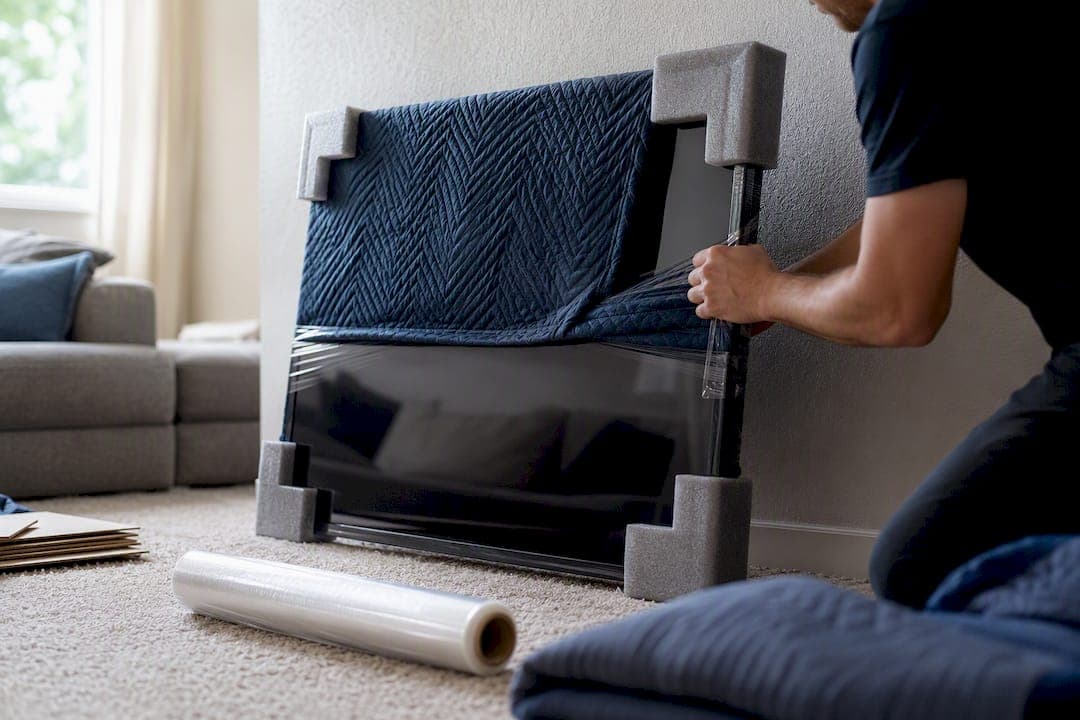
The safest way to move a flat screen TV is to keep it upright at all times, pack it in its original box or a heavy telescoping TV box with foam corner protectors, remove the stand, and photograph every cable before disconnecting anything. Never lay a flat-screen TV on its back for transport. Panels flex under their own weight when horizontal, and that flex can crack glass or separate internal layers you'll never see coming until the screen turns on with a dark blotch across it.
Before you touch a single cable, run through this:
- Photograph the back of the TV and label each cord with tape and a marker.
- Locate the original box, or line up a telescoping TV box and foam corner guards.
Pro Tip: Take the photo before you unplug anything, not after. A cable that looks obvious in your hand is a mystery once it's coiled in a box three weeks later.
Key Takeaways
Keeping a flat-screen TV upright, foam-protected, and immobilized inside a rigid box is the single factor that prevents most moving-day screen damage.
| Point | Details |
|---|---|
| Never transport flat | Panel flex from horizontal transport raises the risk of cracking or internal delamination. |
| Use the right box | Original packaging or a double-walled telescoping TV box beats improvised wrapping every time. |
| Protect the screen properly | Anti-static foam or a soft cloth goes against the screen; tape only touches the outer wrap. |
| Photograph before unplugging | A back-panel photo and labeled cables turn reassembly into a five-minute job. |
| Know when to call in help | Atlantic Star Relocations handles custom crating and insured transport for oversized or long-distance TV moves. |
Table of Contents
- Supplies You Need to Pack a TV for Moving
- Step-by-Step Checklist for Packing a TV to Move
- How to Transport a TV Safely in a Vehicle
- Unpacking and Setting Up the TV After the Move
- When to Call Atlantic Star Relocations for Fragile Electronics
- What Actually Matters When You Move a TV
- Move Your TV Without the Risk of a Cracked Screen
- Sources
- FAQ
Supplies You Need to Pack a TV for Moving
Skimping on materials is how an expensive television turns into a costly lesson. The right kit costs a moderate amount and takes the guesswork out of packing.
Start with the box. Your best option is the manufacturer's original packaging, foam inserts included, because it was engineered for that exact model's weight distribution and screen dimensions. If that box got recycled years ago (as most do), a double-walled telescoping TV box is the next best thing. These adjust in length and width to fit screens from 32 inches up past 75, and they're built with two layers of corrugated cardboard instead of one.
Beyond the box, you'll want:
- Foam corner protectors sized to the TV's actual corners, not generic pool-noodle substitutes.
- Anti-static foam sheet to lay directly against the screen. Static-prone bubble wrap can interact oddly with some panel coatings, so a screen-safe layer goes first.
- Bubble wrap for a second layer over the foam sheet.
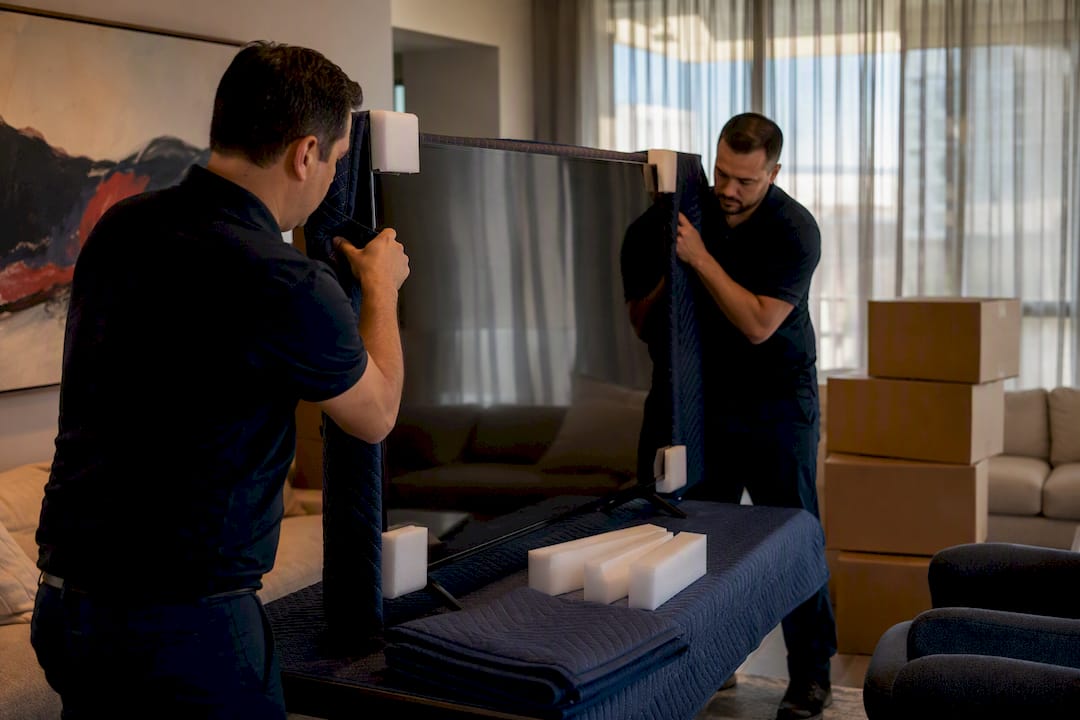
- Moving blankets for extra cushioning around the boxed unit.
- Stretch wrap to bundle everything without adhesive touching the TV.
- Packing tape, applied only to the outer wrap, never the screen.
- Labels reading "Fragile" and "This Side Up."
- Silica gel packets, useful if the TV will sit in storage before reinstallation.
You can find telescoping TV boxes and corner kits at Home Depot, U-Haul, and most moving-supply retailers. If you'd rather skip the shopping trip, Atlantic Star Relocations includes crating and specialty packing materials as part of its packing services.
Watch for red flags before you commit to a box: single-wall cardboard that bends under light pressure, packing tape stretched across the center of the screen, or straps cinched directly over the panel instead of the frame. Any one of those is a sign the box (or the packer) doesn't know what it's protecting.
Step-by-Step Checklist for Packing a TV to Move
Work through these steps in order. Skipping ahead, especially on cable labeling, is the most common reason people end up staring at a tangle of HDMI cords in a new living room with no idea what plugs where.
- Photograph the back panel. Get a clear shot of every port with a cable still in it before you unplug a single wire.
- Label each cable with masking tape and a short code (HDMI 1, sound bar, cable box) that matches a note on your phone or a printed sheet.
- Gather remotes and small accessories into one labeled zip-top bag or small box so they travel with the TV, not scattered across three moving boxes.
- Remove the stand or wall-mount bracket. Set screws and brackets aside in a labeled bag; wrap the stand itself in a small blanket if it has a glass base.
- Lay a soft anti-static foam sheet or clean microfiber cloth over the screen. This is the layer that actually touches the panel.
- Wrap the TV in bubble wrap, bubbles facing in, and tape the wrap to itself. Tape should never touch the screen or the plastic bezel directly, since adhesive residue can damage the surface when you try to peel it off later.
- Fit foam corner protectors onto all four corners. These absorb bumps that would otherwise transfer straight into the frame.
- Insert the TV upright into the box. Original boxes and telescoping boxes are both designed for vertical insertion. Never slide it in on its back.
- Fill every void around the TV with crumpled packing paper or extra bubble wrap. A TV that can shift half an inch inside its own box during transit is a TV that's absorbing every pothole and hard brake directly through the panel.
- Seal and label the box on all sides: "Fragile," "This Side Up," with an arrow pointing to the top.
For anything 65 inches and up, get a second person before you lift. Large panels flex more than small ones, and a solo carry increases the odds of an accidental drop or an off-balance twist that stresses the frame. At that size, a lot of movers skip the cardboard entirely and go with a custom wood crate, which is worth considering if you're relocating a big-screen setup long distance.
If the original box is long gone and a telescoping box isn't in the budget, you can still move a TV without a box. Wrap it in a thick moving blanket, secure foam corner protectors at each corner, wind stretch wrap around the whole bundle to hold everything in place, and brace it upright against a stable surface in the vehicle. It's not the ideal setup, but it beats loose glass and bare plastic bouncing around a cargo van.
Pro Tip: If you're reusing a box from a different TV model, check that the foam inserts actually touch all four corners of your screen. A loose fit inside an oversized box is almost as risky as no box at all.
How to Transport a TV Safely in a Vehicle
Everything you just packed can still get ruined in the last ten feet between the house and the truck if the TV ends up flat or unsecured. The upright rule isn't a suggestion. Laying a flat-screen TV down for transport puts sustained pressure on the panel from its own weight, which raises the risk of cracking or internal delamination that might not show up until days later.
Vehicle setup depends on what you're driving:
- Sedan back seat: Stand the box upright, wedge it with couch cushions or rolled blankets on both sides, and buckle a seatbelt across the box if it reaches.
- SUV: Position it upright against the second-row seatback or a side wall, then brace it with soft items so it can't tip during turns.
- Pickup truck bed: Stand it upright against the cab, strap it around the box frame (never across the screen face), and cover it if there's any chance of rain.
- Moving truck: Place it upright against a wall, sandwiched between a mattress and flat furniture pieces rather than stacked boxes, which can shift and lean.
Whatever the vehicle, never stack heavy items against the TV box, and never run a strap across the screen face itself. Straps belong around the outer frame or the box's structural edges.
Getting the TV out the door matters just as much as the drive. Measure doorways, stairwells, and elevator dimensions before moving day, especially in older Manhattan or Brooklyn walk-ups where hallway turns can be tighter than they look. If your building requires a certificate of insurance or a reserved elevator window, coordinate that in advance so you're not standing in a lobby with a boxed 75 inch TV and no way to get it upstairs.
For long-distance relocations, multi-leg logistics, narrow stairwells, or a wall-mounted display that needs full disassembly, hiring professionals with fragile-item experience removes a lot of the risk that comes with DIY handling.
Unpacking and Setting Up the TV After the Move
Resist the urge to plug it in the moment it's out of the truck. Inspect the unit first: check for cracked corners, bent HDMI ports, warped bezels, or any visible line or blotch across the screen surface, since those are signs of shipping damage that a warranty claim needs documented quickly.
- Let the TV stand upright at room temperature for at least a few hours before powering it on, longer if it traveled in a cold truck or during a hot summer move. Condensation inside a cold panel can damage internal components if you power it on too soon.
- Reattach the stand or wall mount using the hardware you set aside, following the original manufacturer instructions.
- Reconnect cables using the photo you took before the move. It turns a 20-minute guessing game into a five-minute job.
- If the TV needs to sit in storage before setup, keep it upright in a climate-controlled space, and toss in a silica gel packet if humidity is a concern.
When to Call Atlantic Star Relocations for Fragile Electronics
DIY packing works for plenty of moves. It stops working the moment you're dealing with a 75 inch OLED, a third-floor walk-up in Queens with a tight stairwell turn, or a move that spans multiple states with a truck swap in between. That's the gap Atlantic Star Relocations fills.
Atlantic Star handles fragile electronics with custom crating, insured handling, and carrier-neutral coordination, meaning one team stays accountable from pickup to final delivery instead of handing your TV off between unrelated carriers. Situations where that matters most:
- Oversized or ultra-thin TVs that need custom foam crating rather than a stock box.
- Complex building logistics: narrow hallways, elevator reservations, doorman coordination in Manhattan or Brooklyn buildings.
- Long-distance or multi-leg moves where the TV changes trucks or storage facilities along the way.
- Wall-mounted installations that need professional disassembly and later remounting.
A single point of accountability for the whole move means one team plans the packing, selects the crew, and manages the handoff, so a fragile electronics shipment doesn't get lost in the gap between a packing company and a separate trucking outfit.
The process runs through planning, vendor selection, on-site packing, secure transport, and delivery with setup support at the destination.
What Actually Matters When You Move a TV
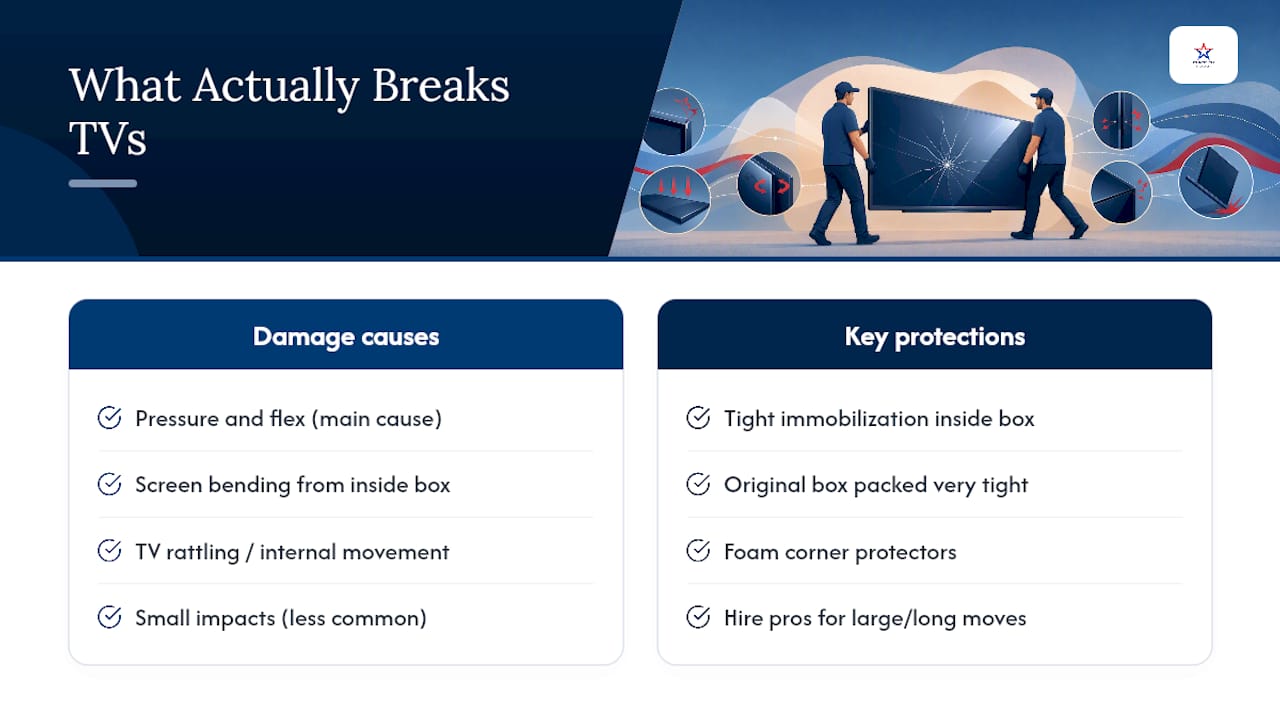
Most advice on moving a TV treats every step as equally important, and that's where people get it backward. The box matters less than what happens inside it. A brand-new telescoping box with a TV rattling around inside does less good than a scavenged original box packed so tight the panel can't move a millimeter.
The stat worth remembering isn't a number, it's a principle: pressure and flex, not small impacts, cause most of the damage moving crews see. That reframes the whole job. Corner protectors matter. Immobilization inside the box matters more.
Where I'd push back on typical checklists is the assumption that DIY is always the default and pros are a fallback for emergencies. For a 42 inch TV going across town, pack it yourself and don't overthink it. For a 75 inch display heading from a Westchester colonial to a place three states away, with a stairwell turn in between, the math on hiring flips fast. It's not about being unable to do it yourself. It's about whether the risk is worth the money saved.
Move Your TV Without the Risk of a Cracked Screen
Packing a TV correctly takes the right materials and patience most people don't have time for during a move. Atlanticstargroup handles fragile electronics as part of full-service and packing-only moves across Westchester County, Manhattan, Brooklyn, Queens, the Bronx, Connecticut, and New Jersey, so you're not standing in your living room at 9 p.m. trying to figure out foam corner placement.

If you want the TV professionally crated and handled without booking a full move, our packing services cover fragile electronics on their own. If you just need muscle to safely lift and load a TV you've already packed, our labor-only moving help covers that gap for local moves. And if your TV needs to sit somewhere safe before the new place is ready, our short-term storage options keep it upright and climate-controlled.
Request a quote today and tell us about your TV, your building, and your timeline. We'll tell you exactly what it takes to get it there in one piece.
Sources
- How to Pack a TV for Moving | The Home Depot
- How to Move Large Electronics: TVs, Computers, and Monitors Safely | AllMovers
FAQ
What is the best way to move a large flat screen TV?
Keep it upright inside its original box or a double-walled telescoping TV box with foam corner protectors, fill every gap so it can't shift, and brace it against a stable surface in the vehicle rather than laying it flat.
Can one person move a 50 inch TV?
One person can usually carry a mid-sized TV if it's boxed and balanced, but a second person makes it safer, especially through doorways, stairs, or tight hallway turns.
Can you move a flat screen TV on its back?
No. Transporting a TV flat puts pressure on the panel that can cause screen cracking or internal delamination, and that damage often isn't visible until the TV is powered back on.
What is the safest way to move a TV without its original box?
Wrap it in a thick moving blanket, add foam corner protectors, secure everything with stretch wrap, and transport it upright braced against a stable surface, or ask about custom crating through a service like Atlantic Star Relocations for higher-value screens.
How long should a TV sit before you turn it on after a move?
Let it reach room temperature and stand upright for a few hours before powering it on, longer if it traveled in a cold truck, since condensation inside a cold panel can damage internal components.